


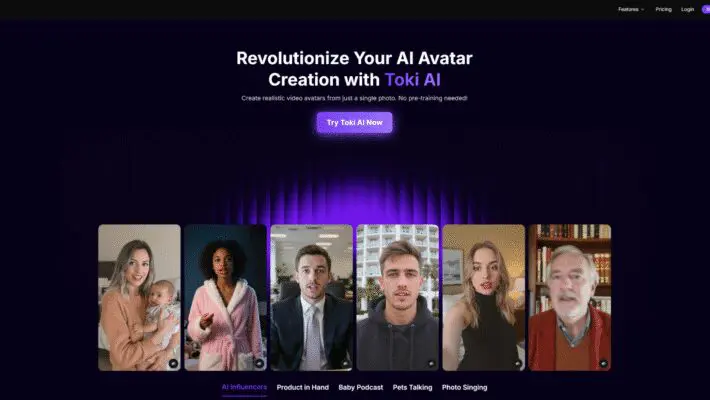
It’s an online tool that converts an image into a lifelike, lip-synced avatar with natural micro-expressions and light gestures. Crucially, you don’t need any pre-training footage. One clear photo is enough to generate a convincing video in minutes, which lowers the barrier for teams and solo creators who want results without production overhead.
Toki AI: AI Avatar Generator for Everyone
At its core, Toki AI is a free AI avatar generator designed for clarity and speed. Traditional avatar systems often ask for multiple angles, long training clips, or custom rigging. Toki AI works from a single image and can produce videos up to two minutes on upgraded plans (you can start on a free plan). The emphasis is on realism: accurate lip movements, eyebrow raises that align with questions, subtle head tilts, and expressions that reflect the audio. The outcome feels like a person speaking on camera rather than a static image with voice dubbed over.
What You Can Make With AI Avatars
There are plenty of practical uses. Product explainers, quick how-tos, and multilingual customer updates all benefit from a consistent face and voice. Marketers can quickly create UGC-style demos that show an item “in hand” and highlight benefits in a personable way. Educators can build bite-size lessons without scheduling a studio day. HR and internal comms can standardize onboarding and policy updates so everyone receives the same message in a familiar format. Small businesses can finally make video a repeatable habit, not a quarterly project.
There’s also space for playful content. People experiment with AI influencers, turn pet photos into charming talk-show hosts, or animate a treasured family snapshot for a short singing clip. If you go this route, treat ethics as part of your creative toolkit: get permission for any image you animate, label AI-generated content, and avoid impersonating real individuals in ways that could mislead. The most engaging projects are transparent, respectful, and clearly framed as creative or illustrative.
Getting Started in Minutes
- Upload a photo. Use your own, a colleague’s with permission, or select from preset avatars.
- Add your words. Paste a script, or upload a recorded audio file if you prefer your own voice.
- Select a voice. Choose from a range of tones, genders, and languages if you’re using text-to-speech.
- Generate your video. In a few minutes, you’ll have an avatar with synchronized lips, expressions, and light gestures.
For best results, start with a clear, front-facing image: good lighting, a neutral background, and a relaxed expression. Avoid heavy filters or anything covering the mouth. These simple choices improve lip-sync accuracy and overall realism.
Image and Setup Tips for Better Results
- Use a high-resolution photo with a sharp, well-lit face.
- Keep the mouth unobstructed (no hands, objects, or hair over the lips).
- Aim for a neutral or lightly expressive face; extreme expressions can be harder to map.
- Avoid strong filters or stylized effects that distort features.
- Choose a straight-on or near-frontal angle rather than a dramatic side profile.
- Keep backgrounds simple to reduce visual distractions and artifacts.
These small adjustments help the model render smoother expressions, clearer mouth shapes, and more natural eye and head movements.
Script, Voice, and Delivery
Voice is where personality comes through. Toki AI offers a library of voices—across tones, genders, and languages—so you can match delivery to purpose. A supportive explainer might lean calm and measured; a social promo might be brighter and faster. If you have a recognizable brand voice, upload your own audio. The avatar will map lip movements and expressions to your recording, preserving your brand’s cadence and emphasis.
A few script tips:
- Write like you speak. Short sentences and everyday phrasing sound more natural.
- Put key points up front. Viewers decide quickly whether to keep watching.
- Read it aloud once before generating to catch awkward phrasing or tongue-twisters.
- Use light signposting (“First,” “Next,” “In short”) to help viewers follow along.
- Keep most videos under two minutes for focus and retention; break long topics into a series.
Build Consistency Across Channels
Maintaining a steady on-screen presence is tough when you rely on ad-hoc presenters. With Toki AI, you can create one or more branded avatars and use them across product pages, help centers, short-form social videos, internal training, and event updates. That consistency improves recognition and reduces production friction. Just make sure you have the rights to the face you use. If it’s not your own image, get explicit permission and set internal guidelines for when and how the avatar appears.
Time and Cost Advantages
Compared to traditional production, an AI avatar workflow saves time and budget. You can skip studio bookings, lighting kits, and reshoots. Draft a script, choose a voice, generate, and iterate. That speed unlocks experimentation: test multiple intros, adjust pacing, or localize a single video into several languages. The free plan lets you validate your workflow; upgraded plans remove watermarks and allow longer videos. The net result is a lower cost per asset and a higher cadence of output, without sacrificing clarity.
Realism, Details, and Practical Limits
Toki AI aims for that subtle blend of polished yet human. You’ll notice eyebrow raises on questions, small smiles synced to upbeat phrases, and gentle nods to emphasize key points. The lip-sync tracks phonemes closely to avoid the “floating mouth” look of older tools. Still, there are practical limits worth noting:
- Avatars work best with frontal or near-frontal faces; deep profile angles reduce accuracy.
- Extreme head turns or exaggerated gestures aren’t the goal; keep the setup simple.
- Busy backgrounds can distract from the face and complicate the render.
- Rapid-fire, low-clarity audio can reduce expression quality; clear diction helps.
Approach your first few videos as prototypes: generate, review, refine script or voice, and try again. Small tweaks lead to visible improvements.
Responsible and Ethical Use
AI avatars are powerful—and with that power comes responsibility. Keep these guardrails in place:
- Get consent for any photo you animate. If it’s not you, ask first and document permission.
- Clearly label AI-generated content so viewers know what they’re watching.
- Do not impersonate real people in ways that could mislead or harm.
- Be especially cautious with children’s images or sensitive topics; protect privacy.
- When representing a brand or institution, align with internal policies and local laws.
Respect, clarity, and transparency build trust and make your content more sustainable over time.
Conclusion
Toki AI gives you a practical path to lifelike avatar videos from a single photo—no studio, no lengthy training. Upload an image, pair it with a script or your own audio, select a voice, and generate. Use it to speed up marketing explainers, educational snippets, support updates, and creative storytelling, all while following clear ethical guidelines. With thoughtful inputs—good photos, conversational scripts, and attention to tone—you’ll produce videos that inform, engage, and scale with your goals. And because you can start free, the easiest next step is to try a small project and see what your first avatar can do.